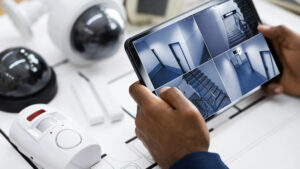
Planning the right CCTV camera positions is essential for protecting your business, monitoring important areas, and capturing clear, useful footage when an incident occurs. Even high-resolution cameras can leave security gaps if they are installed at the wrong angles or fail to cover critical entry points.
WeFour Connect provides professional CCTV installation, site surveys, customized camera placement, structured cabling, and ongoing maintenance services in Doha, Qatar. Our team helps businesses plan surveillance systems around their premises, security risks, and monitoring requirements to achieve effective coverage and reliable performance.
Whether you manage an office, retail shop, restaurant, warehouse, or commercial building, this guide explains how to plan CCTV camera positions, choose suitable camera types, avoid blind spots, and build a surveillance system that meets your business needs.
Why Is CCTV Camera Placement Important?
CCTV camera placement determines what your surveillance system can actually capture. A camera with excellent resolution may produce unusable footage if it points toward a bright window, overlooks faces, or leaves important areas outside its field of view.
A well-planned CCTV system helps businesses:
- Monitor entrances, exits, and restricted areas.
- Deter theft, vandalism, and unauthorized access.
- Review incidents and investigate security concerns.
- Monitor stockrooms, cash counters, and valuable equipment.
- Improve visibility across indoor and outdoor areas.
The goal is not simply to install more cameras. It is to position each camera where it serves a specific security purpose.
1. Start With Your Business Security Risks
Before selecting cameras or deciding where to mount them, identify what your business needs to protect.
Ask these questions:
- Where are theft, damage, or unauthorized entry most likely to occur?
- Which areas contain cash, valuable stock, equipment, or confidential records?
- Which entrances and exits need monitoring?
- Do you need to monitor customer interactions, loading activities, or vehicle movements?
- What details must the footage capture: general activity, faces, or vehicle number plates?
Different premises have different requirements. A retail shop may prioritize cash counters and entrances, while a warehouse may need better coverage of loading bays, storage aisles, and perimeter access.
Use your answers to create a camera placement plan based on actual risks rather than guesswork.
2. Define the Purpose of Each CCTV Camera
Every camera should have a clear objective. Four useful coverage goals are:
- Observe: Provide a wide view of general activity in an area.
- Detect: Show that a person or object is present.
- Recognize: Provide sufficient detail to recognize a familiar person.
- Identify: Capture enough detail to identify an unfamiliar person or read a vehicle number plate under suitable conditions.
A wide-angle camera may be ideal for monitoring an entire reception area but unsuitable for identifying a person’s face at a distant entrance.
Similarly, a camera covering a car park may show vehicle movements without capturing readable number plates. A separate camera with an appropriate lens, angle, and lighting may be required at the vehicle entrance.
Define the required outcome for each camera before choosing its resolution, lens, and mounting position.
3. Identify the Best Places to Install CCTV Cameras
Entrances and Exits
Entrances and exits are among the most important CCTV camera locations for businesses.
Position cameras to capture people entering and leaving, including relevant staff entrances, loading doors, and other access points. Where identification is important, use an angle that captures faces rather than only the tops of people’s heads.
Avoid relying entirely on a ceiling-mounted camera pointed straight down, as it may not capture enough facial detail.
Reception and Customer Service Areas
Reception desks and customer service areas are useful locations for monitoring visitor activity and reviewing incidents.
Position cameras to cover the entrance, visitor approach, and relevant interaction areas while respecting privacy and avoiding unnecessary recording of sensitive information.
Cash Counters and Point-of-Sale Areas
Retail shops, restaurants, and other businesses that handle cash should consider cameras covering transaction areas.
Aim cameras to capture relevant activity around the counter without recording payment card details, PIN entry, or other sensitive information unnecessarily.
Stockrooms, Warehouses, and Storage Areas
Warehouses and stockrooms often contain high-value inventory and equipment.
Consider placing cameras near:
- Stockroom entrances and exits.
- Loading and unloading bays.
- High-value storage sections.
- Long aisles and access routes.
- Areas where goods are received or dispatched.
In warehouses, cameras positioned at aisle ends may provide useful views along shelving rows. Check that racks, stacked goods, and moving equipment do not block critical sightlines.
Gates, Perimeters, and Car Parks
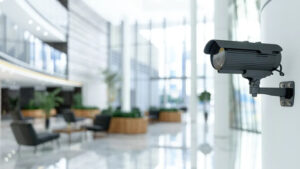
Outdoor CCTV cameras help monitor vehicle access, parking areas, fences, and building approaches.
A wide-angle camera can provide an overview of a car park, while a dedicated camera near a gate can capture more detailed views of vehicles or drivers when required.
Number plate capture depends on camera positioning, shutter speed, lighting, lens selection, and vehicle movement. Do not assume that every outdoor camera will produce readable plates.
Corridors and Staircases
Corridors and staircases connect different parts of a building and can help security teams follow the movement of people between areas.
Position cameras to cover important junctions, access routes, and transitions between monitored spaces. Avoid unnecessary duplication when adjacent cameras already provide adequate coverage.
Server Rooms and Restricted Areas
Server rooms, equipment rooms, and areas containing confidential records may require additional access monitoring.
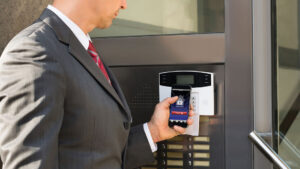
Position cameras to capture relevant entry and exit activity. Where appropriate, integrate CCTV with an access control system to help correlate recorded footage with authorized entry events.
4. Choose the Right Camera Height and Viewing Angle
Camera height and angle have a major effect on footage quality.
Avoid mounting cameras too high when facial identification is important. A steep downward angle may capture the tops of heads rather than useful facial detail.
For entrances, consider a frontal or slightly angled view. For wide-area monitoring, a higher mounting position may be appropriate, provided important details remain visible.
The ideal position depends on the lens, mounting restrictions, required field of view, lighting, and the distance to the subject.
Before finalizing a location, review the camera’s actual field of view and confirm that it captures the details required for its intended purpose.
5. Check Lighting and Avoid Backlighting
Lighting conditions can make the difference between useful footage and an unclear recording.
A camera facing a bright window, glass entrance, or strong outdoor light source may capture silhouettes instead of facial details.
To improve image quality:
- Avoid pointing cameras directly toward strong light sources where possible.
- Use cameras with suitable wide dynamic range (WDR) for challenging lighting conditions.
- Check indoor and outdoor lighting during the day and at night.
- Add appropriate lighting where required.
- Test infrared night vision for glare or reflections from nearby surfaces.
If your business operates after hours, check that important areas remain visible when normal lighting is switched off.
6. Account for Blind Spots and Physical Obstructions
A camera may appear to cover an area on a floor plan but provide a much narrower view in practice.
Common obstructions include pillars, signs, shelves, plants, ceiling fixtures, parked vehicles, and stacked inventory.
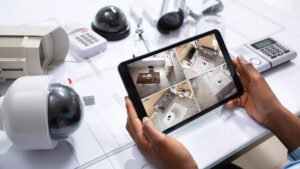
Walk through the premises and inspect each proposed camera view. Consider how furniture, stock levels, and business operations may change over time.
For critical areas, overlapping camera views may provide useful redundancy. However, overlapping coverage should be planned around specific security requirements rather than added without purpose.
7. Consider Qatar’s Outdoor Conditions
Outdoor CCTV cameras in Doha and other parts of Qatar must be suitable for the local environment.
Heat, humidity, dust, direct sunlight, and occasional rain can affect camera housings, connectors, and other installation components.
When planning outdoor CCTV camera positions:
- Select cameras with appropriate environmental protection ratings.
- Follow the manufacturer’s operating temperature limits.
- Protect cable connections and exposed equipment.
- Consider shade and sun exposure where practical.
- Use suitable mounting hardware for the installation environment.
- Schedule inspections to identify damage, dust buildup, or deterioration.
The camera, housing, cabling, and installation method should all be appropriate for the conditions at the site.
8. Choose the Right CCTV Camera Type for Each Location
Different camera designs serve different purposes.
Dome cameras: Often suitable for indoor spaces such as offices, reception areas, and retail premises.
Bullet cameras: Commonly used outdoors and useful where a visible surveillance device also acts as a deterrent.
PTZ cameras: Allow operators to pan, tilt, and zoom across large areas. However, they cannot continuously monitor every direction at once, so fixed cameras may still be needed for critical coverage.
Fixed-lens cameras: Suitable when the required viewing angle and distance are known in advance.
Varifocal cameras: Allow the installer to adjust the field of view during setup to achieve the required coverage.
Choose the camera based on the scene, viewing distance, lighting, required detail, and environmental conditions—not just megapixel count.
9. Plan CCTV Cabling, Power, and Recording Storage
Camera placement must be coordinated with the network, power supply, and recording system.
Before installation, determine:
- Where cables will run and how they will be protected.
- Whether cameras will use Power over Ethernet (PoE) or separate power supplies.
- Where the network switch and recorder will be located.
- Whether the recorder has enough capacity for the planned cameras.
- How many days of footage need to be retained.
- Who can access recordings and how the system will be maintained.
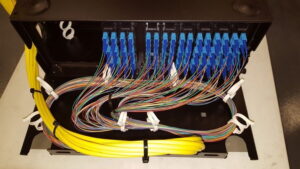
Reliable structured cabling helps reduce connectivity problems and supports consistent video transmission.
Recording storage requirements depend on the number of cameras, resolution, frame rate, compression settings, recording schedule, and retention period. Plan these requirements before purchasing the recorder or storage drives.
10. Respect Privacy and Applicable CCTV Requirements in Qatar
Business CCTV systems should be designed to protect legitimate security interests while respecting privacy.
Avoid positioning cameras to record sensitive areas unnecessarily, including toilets and changing rooms. Limit views into neighboring properties or private spaces where possible.
Businesses should also consider appropriate signage, access controls for recordings, retention policies, and applicable privacy and CCTV requirements in Qatar.
Regulatory obligations can depend on the property, business activity, and applicable rules. Confirm the requirements relevant to your premises with the appropriate authorities or a qualified local professional before installation.
Common CCTV Camera Placement Mistakes to Avoid
Avoid these common mistakes when planning a business surveillance system:
- Counting cameras instead of planning coverage: A large number of cameras can still leave important blind spots.
- Mounting cameras too high: Facial details may be lost when the angle is too steep.
- Ignoring backlighting: Bright windows and entrances can make people appear as silhouettes.
- Overlooking night conditions: Daytime footage does not show how a camera performs after dark.
- Choosing the wrong lens: Wide-angle views may not provide enough detail at distant points.
- Forgetting cabling and storage: Poor connectivity or insufficient recording capacity can undermine the system.
- Skipping a site survey: A physical inspection can reveal obstacles and coverage gaps that a basic floor plan misses.
- Failing to review the layout: New shelves, partitions, and equipment can change camera views over time.
CCTV Camera Placement Checklist for Business Owners
Use this checklist before installation:
- Identify security risks and high-priority areas.
- Mark entrances, exits, storage areas, and restricted spaces on a floor plan.
- Define whether each camera must observe, detect, recognize, or identify.
- Select suitable camera types, lenses, and mounting positions.
- Check lighting, backlighting, and nighttime visibility.
- Identify blind spots and possible physical obstructions.
- Plan cable routes, power supplies, network connections, and recorder placement.
- Calculate recording storage and retention requirements.
- Confirm applicable privacy and regulatory requirements.
- Test the footage from each camera after installation.
- Document camera locations and review them whenever the premises change.
Following these steps helps businesses develop a CCTV system that is practical, maintainable, and suited to their security objectives.
How WeFour Connect Can Help With CCTV Camera Placement in Doha
Planning CCTV camera positions is easier when the site, security risks, cabling requirements, and recording needs are assessed together.
WeFour Connect provides CCTV and network infrastructure services in Doha, Qatar, helping businesses plan and install surveillance systems suited to their premises.
Our services include:
- Site surveys and customized CCTV design: Camera locations planned around your building layout and security priorities.
- Professional CCTV installation: Installation and configuration focused on practical coverage and usable footage.
- Structured cabling: Organized cabling infrastructure to support reliable camera connectivity.
- Warranty and Annual Maintenance Contracts (AMC): Maintenance options to help keep your surveillance equipment operational.
- Support for critical issues: Assistance for urgent problems, subject to the applicable service arrangements.
Smaller installations may take a few hours, while larger projects may require several days or longer, depending on the site, cable routes, camera count, and system requirements.
Contact WeFour Connect to discuss your premises and arrange a CCTV installation consultation.
WeFour Connect — Doha, Qatar
- Address: Office No. 5, Bank Street, West Bay, Doha, Qatar
- Phone: +974 3146 4818 | +974 3146 4718
- Email: info@wefourconnect.com